> ## Documentation Index
> Fetch the complete documentation index at: https://docs.flowscale.ai/llms.txt
> Use this file to discover all available pages before exploring further.

# Project Migration from GitHub to Google Login

> Help existing users seamlessly import their projects after FlowScale AI's authentication change from GitHub OAuth to Google Sign-In

## Why We're Making This Change

FlowScale AI has transitioned from GitHub authentication to Google authentication to provide significant improvements:

* **Lower friction** – no GitHub permission pop‑ups or PATs.
* **Greater privacy** – FlowScale AI no longer requests repo‑level scopes.
* **Simpler storage** – projects now live securely in FlowScale AI's own database (no Git repos to maintain).

## Before You Begin

| ✔️ Do                                                                  | ❌ Don't                                                            |
| ---------------------------------------------------------------------- | ------------------------------------------------------------------ |
| Sign in with **the same email address** you previously used on GitHub. | Use a different Google address if you want your old projects back. |
| Make sure you can still access that GitHub account.                    | Disconnect GitHub until migration finishes.                        |

## Step-by-Step Migration

### Sign In with Google

1. Browse to **app.flowscale.ai**.
2. Click **Continue with Google**.
3. Select the **same email** that matches your GitHub account.

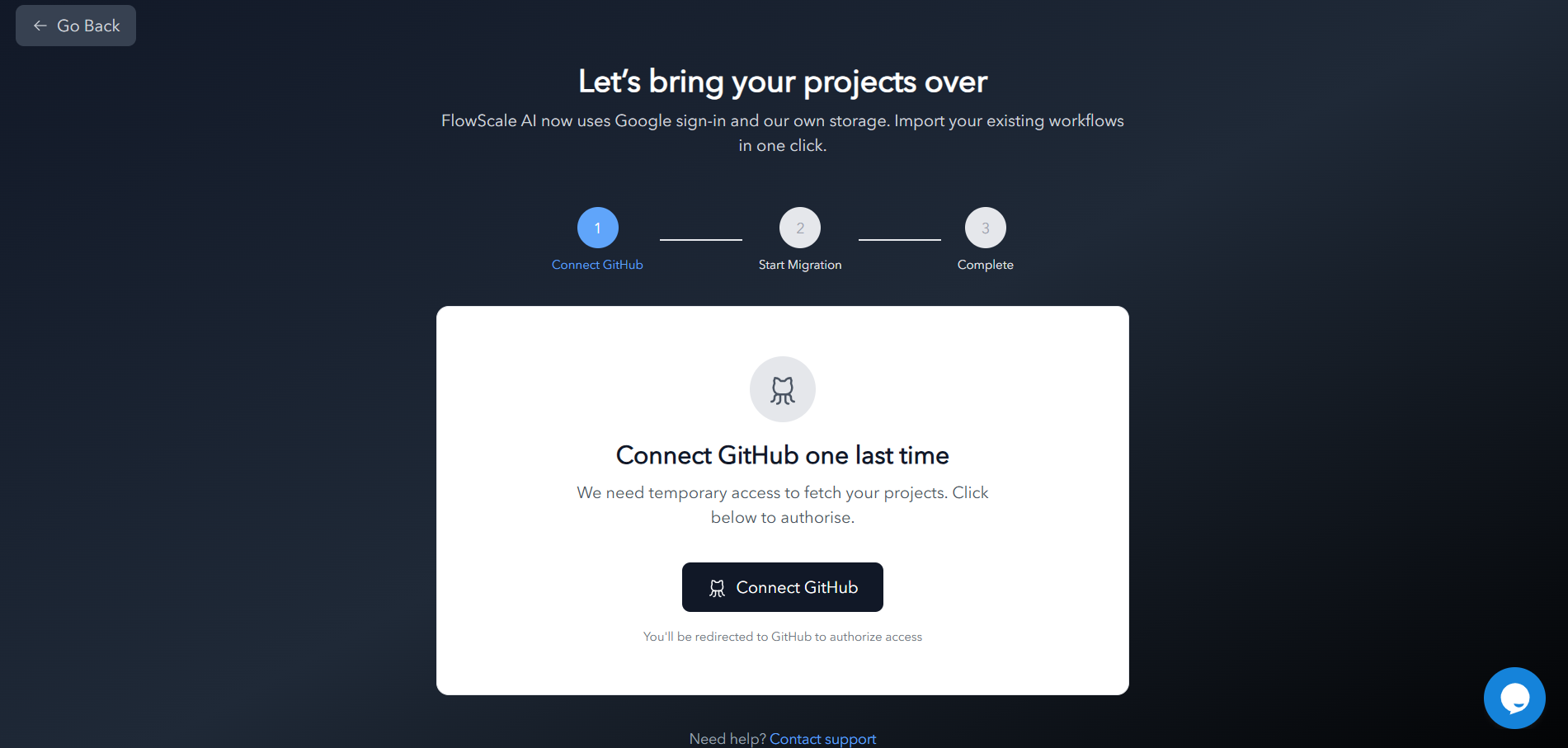
### Connect GitHub One Last Time

1. You are prompted to **Connect GitHub**. Click **Authorize**.
2. Approve the read‑only permission request.

<Frame>
  <img src="https://mintcdn.com/flowscaleai/EEjWYGXalSe8JMze/images/troubleshooting/connect-github.png?fit=max&auto=format&n=EEjWYGXalSe8JMze&q=85&s=918f1ae7947189b3b3ffa23292816a22" alt="Connect GitHub" width="1901" height="907" data-path="images/troubleshooting/connect-github.png" />
</Frame>

<Warning>
  **Heads‑up:** If the GitHub account's primary email does not match your Google email, the wizard will block migration. Switch accounts or update your GitHub email before retrying.
</Warning>

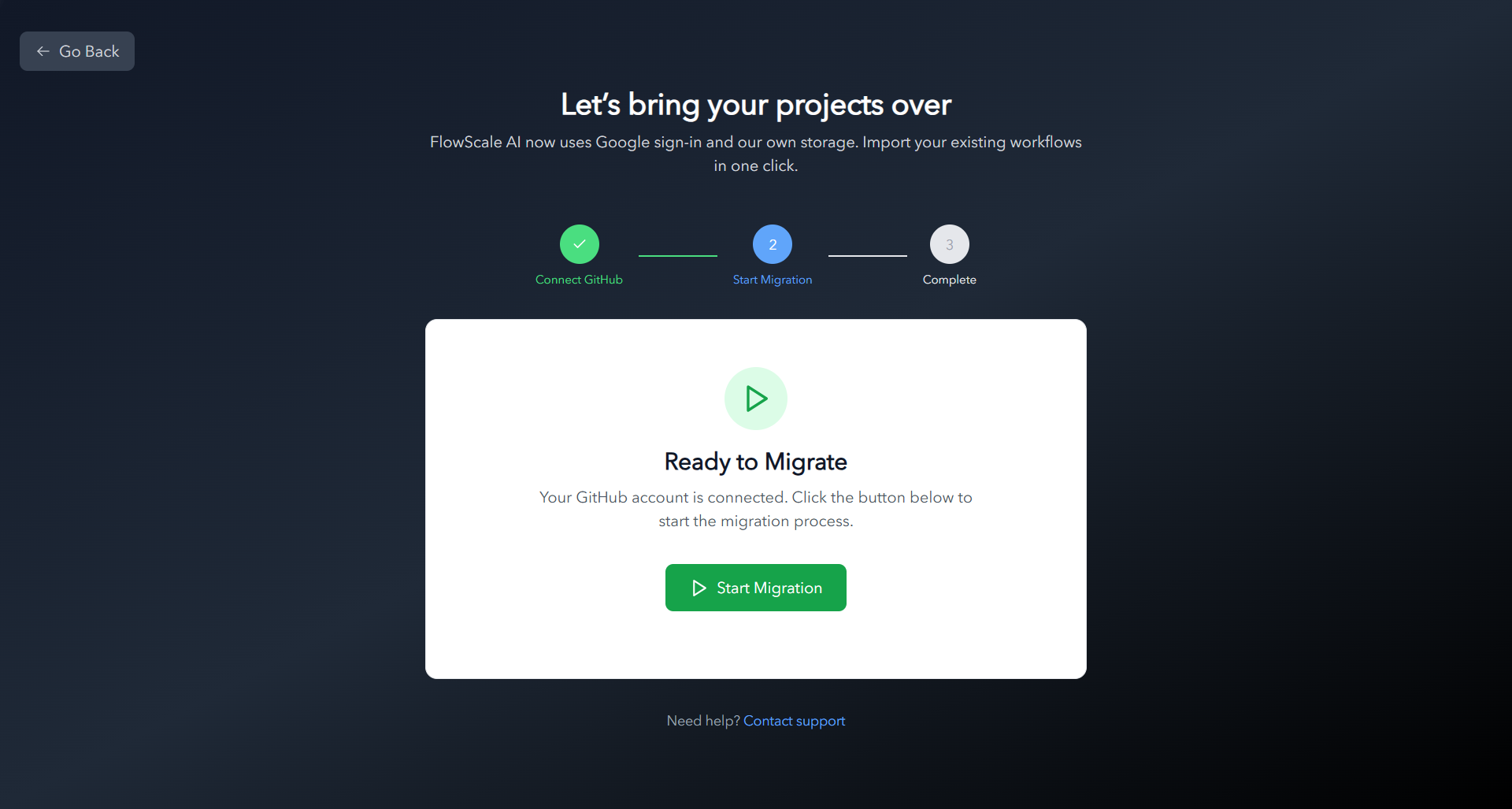
### Start Migration

1. After a successful GitHub link, the **Start Migration** button appears.
2. Click it to begin.

<Frame>
  <img src="https://mintcdn.com/flowscaleai/EEjWYGXalSe8JMze/images/troubleshooting/start-migration.png?fit=max&auto=format&n=EEjWYGXalSe8JMze&q=85&s=970f05fce6bd102798beb14a8fbf1bba" alt="Start Migration" width="1920" height="1027" data-path="images/troubleshooting/start-migration.png" />
</Frame>

### Track Progress

* A progress bar shows each project as it's imported. Larger repos take longer.

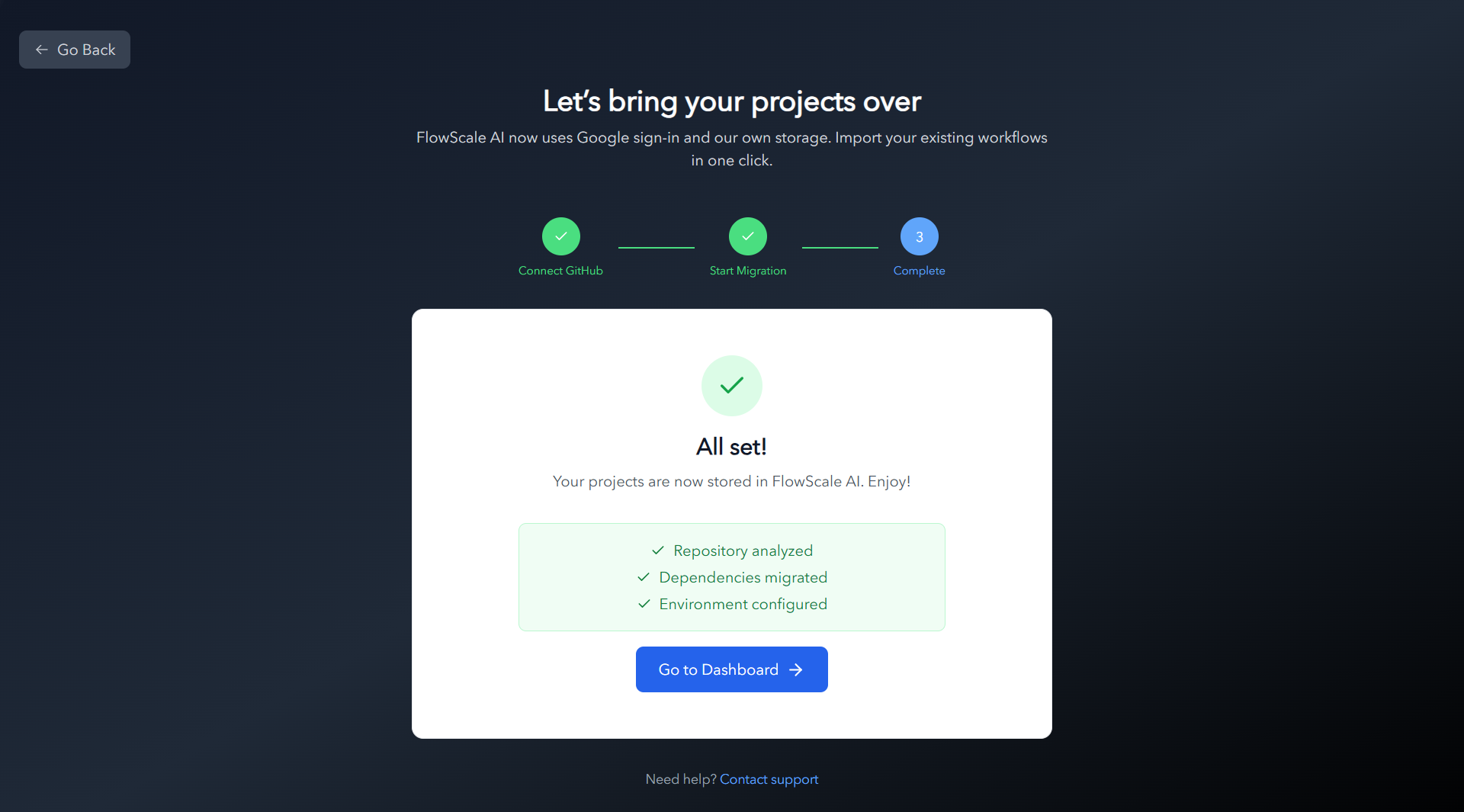
### Finish & Open Dashboard

1. When everything is green, click **Go to Dashboard**.
2. Confirm that every project, workflow, and environment variable is present.
<Frame>
  <img src="https://mintcdn.com/flowscaleai/EEjWYGXalSe8JMze/images/troubleshooting/migration-finished.png?fit=max&auto=format&n=EEjWYGXalSe8JMze&q=85&s=9dd699965d8bde45a8e41e7f3e9fc18e" alt="Migration Finished" width="1920" height="1065" data-path="images/troubleshooting/migration-finished.png" />
</Frame>

## Migration Timeline & Expectations

<AccordionGroup>
  <Accordion title="Expected Migration Times">
    <div style={{display: 'grid', gridTemplateColumns: 'repeat(auto-fit, minmax(250px, 1fr))', gap: '1rem'}}>
      <div style={{padding: '1rem', border: '1px solid #e2e8f0', borderRadius: '8px'}}>
        <strong>Small Projects</strong><br />
        1-5 workflows<br />
        <span style={{color: '#10b981'}}>⏱️ 2-3 minutes</span>
      </div>

      <div style={{padding: '1rem', border: '1px solid #e2e8f0', borderRadius: '8px'}}>
        <strong>Medium Projects</strong><br />
        5-20 workflows<br />
        <span style={{color: '#f59e0b'}}>⏱️ 5-10 minutes</span>
      </div>

      <div style={{padding: '1rem', border: '1px solid #e2e8f0', borderRadius: '8px'}}>
        <strong>Large Projects</strong><br />
        20+ workflows<br />
        <span style={{color: '#ef4444'}}>⏱️ 15-20 minutes</span>
      </div>
    </div>

    You'll receive a notification once the migration is complete.
  </Accordion>

  <Accordion title="During Migration">
    * ✅ Migrated projects will appear in your dashboard as they're processed
    * ✅ Progress indicator shows status for large migrations
    * ✅ No interruption to existing deployments
  </Accordion>

  <Accordion title="After Migration">
    * 🎯 All projects accessible from your FlowScale AI dashboard
    * 🎯 No changes to your workflow files or configurations
    * 🎯 Existing deployments continue to work normally
    * 🎯 GitHub repositories remain unchanged (copied, not moved)
  </Accordion>
</AccordionGroup>

## What Changed Under the Hood?

| Old (≤ v0.23)                                     | New (≥ v0.24)                                           |
| ------------------------------------------------- | ------------------------------------------------------- |
| Auth: GitHub OAuth only                           | Auth: Google Sign‑In ➜ optional GitHub link (read‑only) |
| Projects stored as private repos on *your* GitHub | Projects stored in FlowScale AI's managed database      |
| Required **repo** & **workflow** scopes           | No GitHub scopes                                        |

## Frequently Asked Questions

**Q — I accidentally used a different Google account. Can I merge later?**

Currently, no. Log out and sign back in with the original email to trigger migration.

**Q — My projects didn't appear. What should I do?**

Go to Profile page and verify that the email you are logged in with is the same as the github account email that you were working with before? If issues persist, email [hello@flowscale.ai](mailto:hello@flowscale.ai) with your GitHub username.

**Q — Will FlowScale AI still push changes back to GitHub?**

New projects stay entirely inside FlowScale AI.

## Troubleshooting Migration Issues

<Warning>
  If you encounter issues during migration, these solutions usually resolve common problems.
</Warning>

<Tabs>
  <Tab title="Migration Not Starting">
    If the migration process doesn't start automatically:

    <Steps>
      <Step title="Verify Email Match">
        Ensure you're using the exact same email address from your GitHub account
      </Step>

      <Step title="Clear Browser Cache">
        Sometimes cached data can interfere with the detection process
      </Step>

      <Step title="Try Incognito Mode">
        Test logging in using an incognito/private browser window
      </Step>

      <Step title="Wait and Retry">
        The detection system may need a moment to process your login
      </Step>
    </Steps>
  </Tab>

  <Tab title="Missing Projects">
    If some projects don't appear after migration:

    * ✅ **Repository permissions**: Ensure FlowScale AI had access to all your repositories
    * ✅ **Private repositories**: Make sure private repos containing FlowScale projects were accessible
    * ✅ **Repository naming**: Projects may have been in repositories with non-standard names
    * ✅ **Contact support**: We can manually review your account for missing projects
  </Tab>

  <Tab title="Migration Stuck/Failed">
    If migration appears stuck or fails:

    <AccordionGroup>
      <Accordion title="Quick Fixes">
        1. **Refresh the page**: Sometimes the status display needs updating
        2. **Check internet connection**: Ensure you have a stable connection
        3. **Try logging out and back in**: This can restart the migration process
      </Accordion>

      <Accordion title="For Large Projects">
        * Very large projects may take longer than the estimated time
        * Check your network stability during long migrations
        * Consider migrating during off-peak hours for better performance
      </Accordion>
    </AccordionGroup>
  </Tab>
</Tabs>

## Need Help?

* **Support Email**: [hello@flowscale.ai](mailto:hello@flowscale.ai)
* [**Community Slack**](https://join.slack.com/t/flowscalecommunity/shared_invite/zt-320joycdu-K67c8VNMR7eTmHUZ3asuRg)

We appreciate your patience while we improve FlowScale AI. Happy building!

<Note>
  Migration support is available 24/7 during the transition period. We're committed to ensuring all users can access their projects seamlessly.
</Note>
